
You just got a rent roll from a broker. Sixty units, PDF format, every column slightly different from the last one you saw. You need unit mix, occupancy, average rents, and per-unit detail in your model by end of day.
So you start keying it in manually. Unit by unit, line by line, double-checking every lease date and rent amount against the source. It’s not complicated work. It’s just slow, and you’ve got three more deals in the pipeline behind this one.
That’s exactly what this task is built to fix.
What This Task Does
You upload a multifamily rent roll in PDF or Excel format. That’s the only input. No configuration, no field mapping, no template prep.
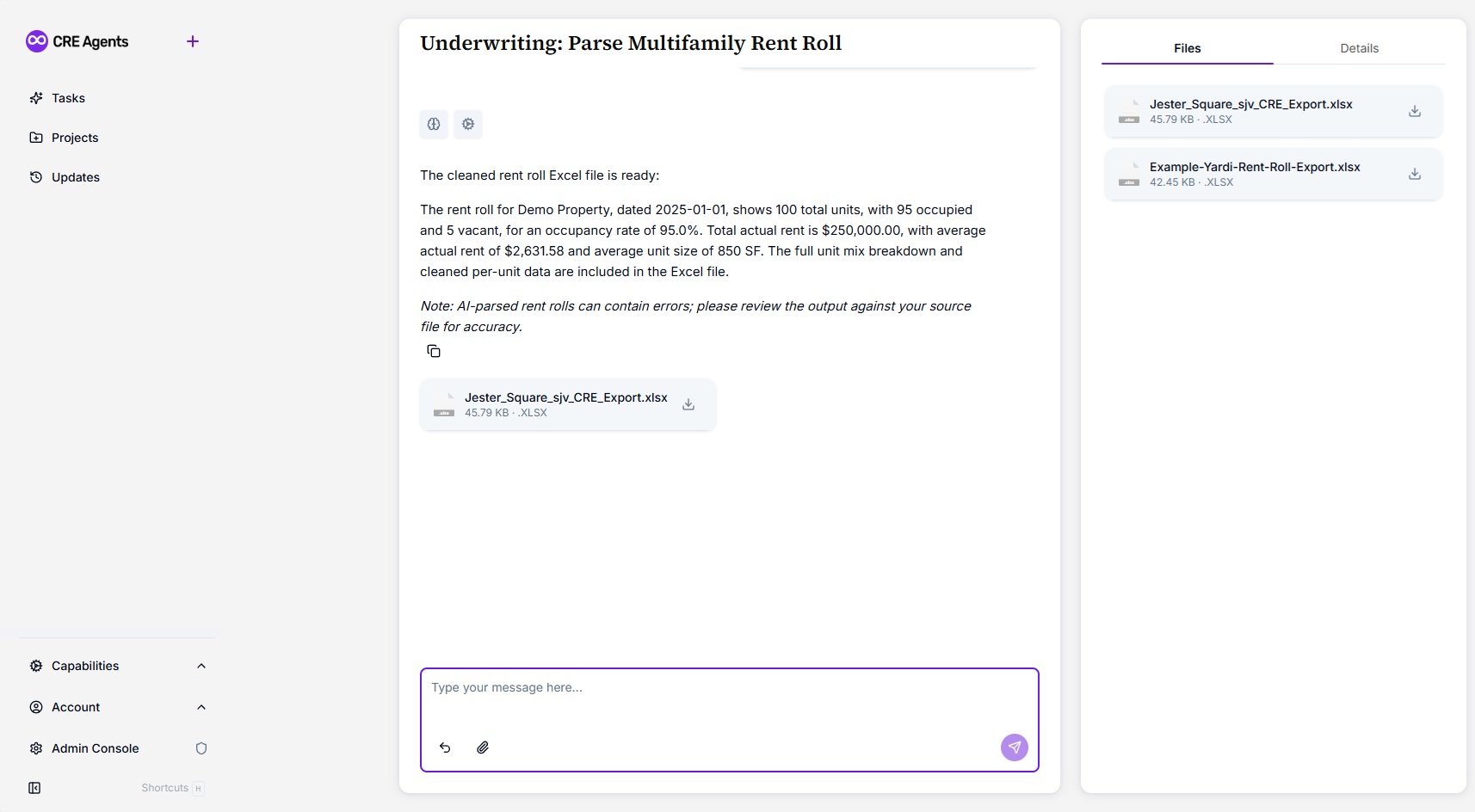
The Real Estate Analyst parses every unit in the file, extracts the per-unit data (unit number, type, square footage, rent, lease dates, move-in dates, status), and builds a cleaned Excel export with a full unit mix summary. On top of that, it writes a plain-English narrative covering property name, rent roll date, total units, occupied and vacant counts, occupancy rate, total and average rent, and average square footage.
The whole process takes roughly 5 minutes of your time. The AI does the rest.
Who This Task Is For
Every multifamily deal starts with a rent roll. But turning that rent roll into usable, model-ready data is where the bottleneck hits.
This task is built for:
- Acquisitions analysts who are underwriting multiple deals simultaneously and need clean rent data fast
- Asset managers who review rent rolls across a portfolio and need a consistent, structured format
- Brokers and capital markets teams who need to pull key metrics from a rent roll for offering materials or investor summaries
- Developers and sponsors who are analyzing stabilized comps or existing property performance
In short: if you already have a rent roll, this task gives you a clean Excel file and a summary you can actually use.
Why It Matters
Rent rolls are the backbone of multifamily underwriting. But they come in every format imaginable: PDFs with merged cells, Excel files with inconsistent headers, scanned documents with handwritten notes in the margins. Before you can do any real analysis, you have to normalize the data.
You already know this. You’ve done it hundreds of times.
The problem isn’t that it’s hard. The problem is that it takes 20 minutes per file, and you’re looking at four rent rolls this week alone. That’s over an hour of manual transcription that doesn’t require your judgment, just your time.
Without a tool like this, the work still gets done, but it gets done slowly. Or it gets pushed to the bottom of the list, which means your underwriting starts late, your LOI goes out a day behind, and someone else gets the deal.
That’s the multiplier.
What the Output Looks Like
The Excel file and summary generated by this task include:
- Cleaned per-unit data: unit number, unit type, square footage, rent, lease dates, move-in date, and occupancy status
- Unit mix summary broken out by bedroom and bathroom count
- Occupancy breakdown with occupied, vacant, and total unit counts
- Key averages: average rent per unit and average square footage
- A plain-English narrative summary covering all key property metrics
The output is not a raw data dump. It’s a structured, model-ready file with analytics baked in, the kind you’d expect from a trained analyst who’s done this a thousand times.
CRE Agents is a platform built for commercial real estate professionals who want to move faster without cutting corners. Task #[TASK_NUMBER] is just the beginning.
Frequently Asked Questions About Parsing Multifamily Rent Rolls With AI
The task ends every response with a reminder to check the output against your source file. Treat the parsed Excel the same way you’d treat work from a junior analyst: trust the structure, but spot-check the numbers. Pay particular attention to edge cases like units with multiple lease entries, vacant units with no rent listed, or non-standard unit types. In practice, the parser handles the vast majority of formats cleanly, but a quick review keeps your underwriting airtight.
The task accepts both PDF and Excel files. That covers the two formats you’ll encounter in roughly 95% of deal packages. PDFs with standard tabular layouts parse cleanly, as do Excel files with consistent column headers. Scanned or image-based PDFs with poor resolution may require OCR preprocessing, which is outside the scope of this task. If you regularly receive rent rolls in a format that doesn’t parse well, reach out so we can improve the parser.
Yes. Each rent roll is processed independently, so you can run the task as many times as you need. If you’re screening 10 deals a week, that’s 10 runs, each taking about 5 minutes instead of 20. The output format is consistent every time, which means your data flows into your models the same way regardless of how the source file was formatted. Over a month of active deal screening, you’re looking at hours saved.